Instantly Translate Text from Any Screenshot
TSnap is a macOS app that captures screen areas and translates text instantly. Works in the background, runs locally, respects your privacy.
Opening TSnap for the First Time
If you see "TSnap is damaged and can't be opened", follow these steps:
- Open Terminal (Applications → Utilities → Terminal)
- Paste this command and press Enter:
xattr -rd com.apple.quarantine /Applications/TSnap.appNow you can open TSnap normally. This is a common macOS security setting for unsigned applications.
Why TSnap?
A simpler, faster way to translate text from any source on your screen.
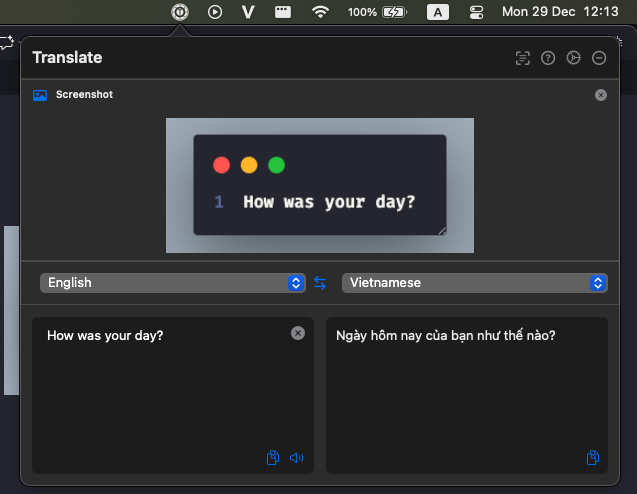
Translate from Screenshots
Select any area on your screen and get instant translation. No need to copy text manually.
No Browser Required
Works as a native macOS app. No need to open a browser or switch between applications.
No Account Needed
Start translating immediately after installation. No registration, no login, no hassle.
Runs Silently in Background
TSnap stays in your menu bar, always ready when you need it, with minimal resource usage and zero distractions.
Key Features
Everything you need for fast, accurate screen translation on macOS.
OCR & Screenshot Translation
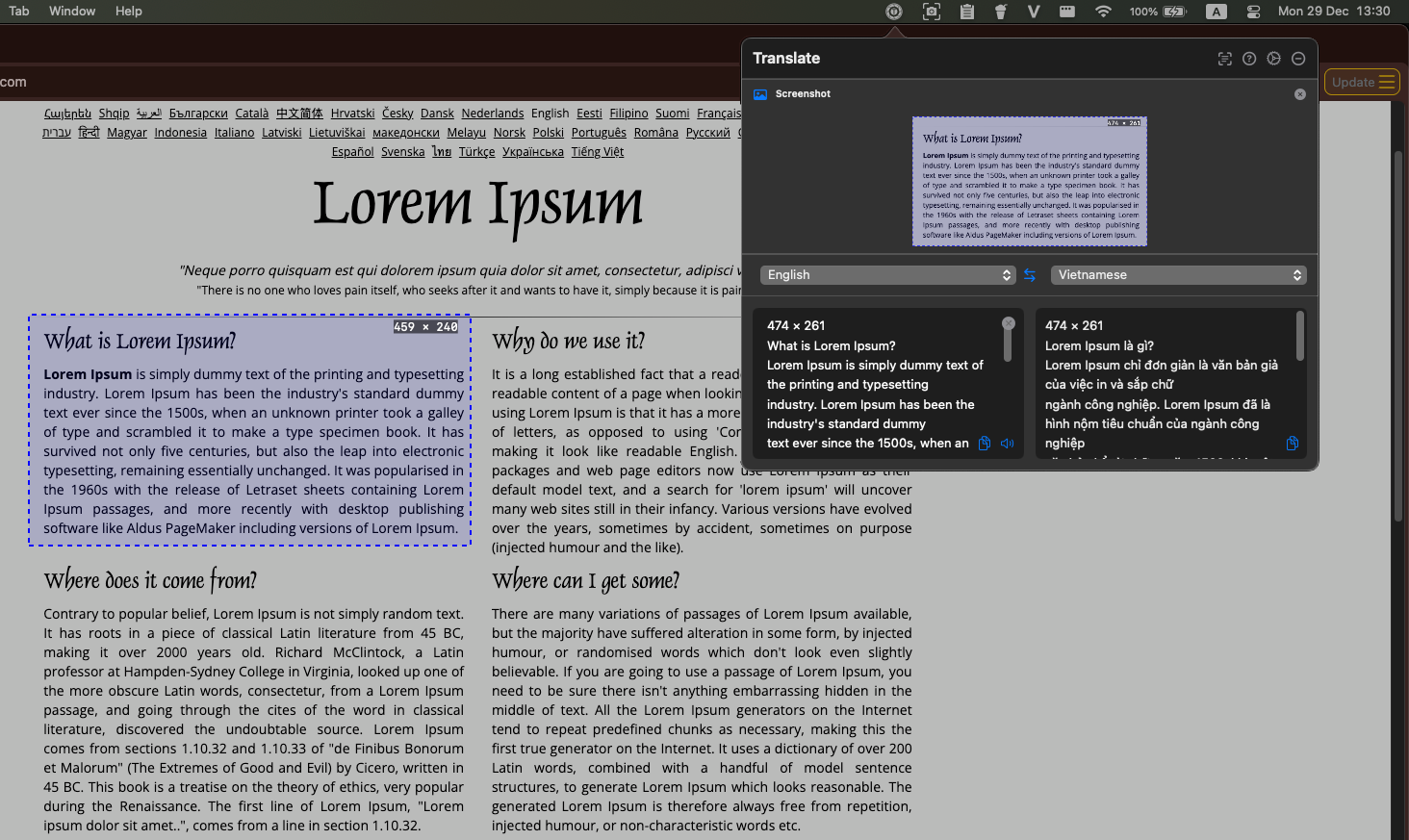
Press Cmd + Shift + C to instantly capture any screen area. TSnap extracts text with high-precision OCR and translates it immediately.
Selected Text Translation
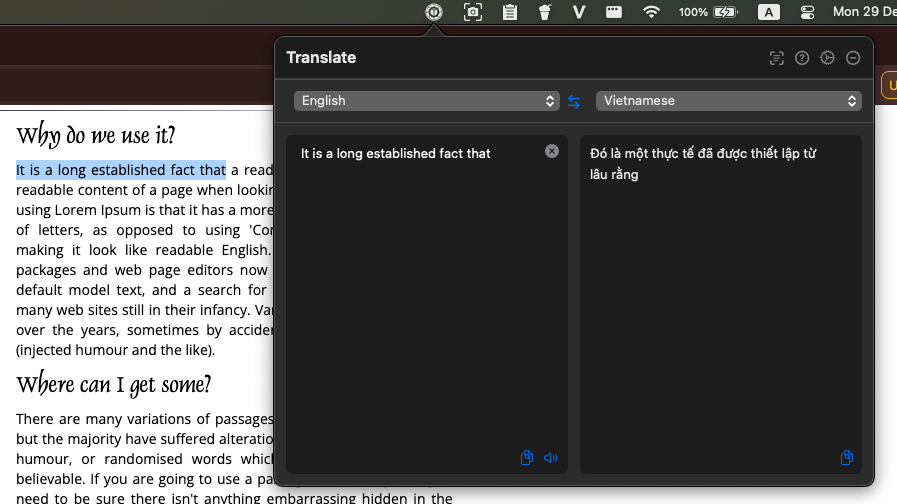
Highlight any text and press Cmd + Shift + X. TSnap automatically detects the selection and translates it in a sleek popover.
Multi-Language Support
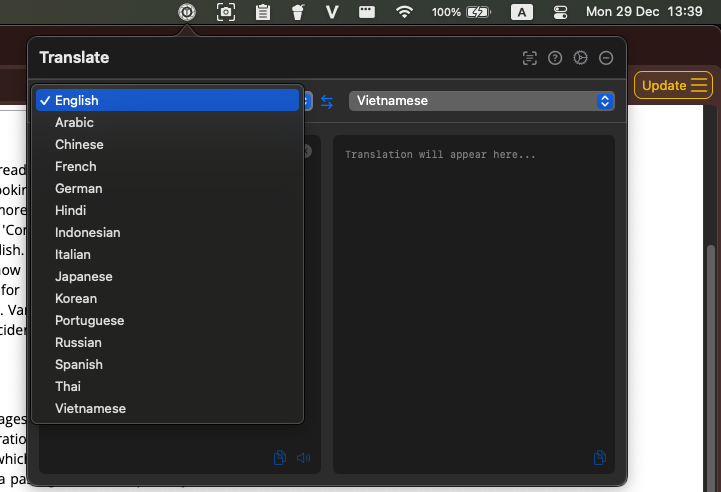
Translate between 15+ languages including Vietnamese, English, Chinese, Japanese, and more.

Text-to-Speech
Listen to the pronunciation of translated text to improve your language learning.

Copy & Paste Workflow
Easily copy translated text to clipboard with one click for use in any application.

Background Performance
Optimized for minimal CPU and memory usage. TSnap runs efficiently without slowing down your Mac.
Setup & Permissions
TSnap is designed for Apple Silicon. Follow these steps to unlock its full potential.
Screen & System Recording
Required for OCR. TSnap needs permission to 'read' the text on your screen when you take a screenshot.
Privacy & Security > Screen Recording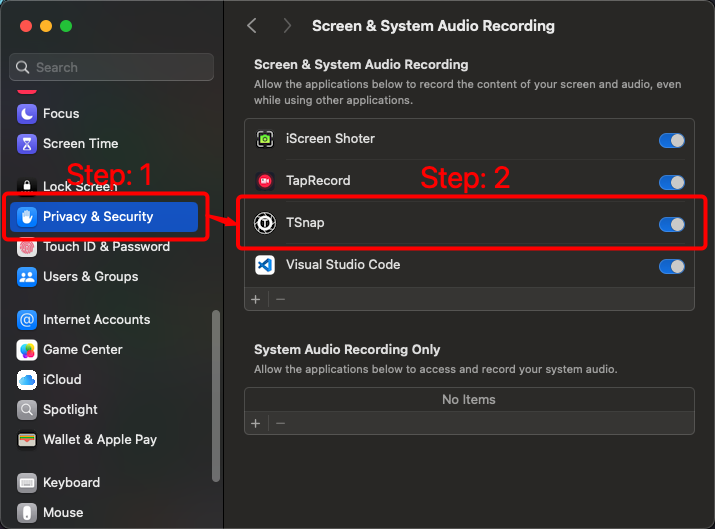
Accessibility Access
Required for Cmd+Shift+X. This allows TSnap to detect text you've highlighted in other apps.
Privacy & Security > Accessibility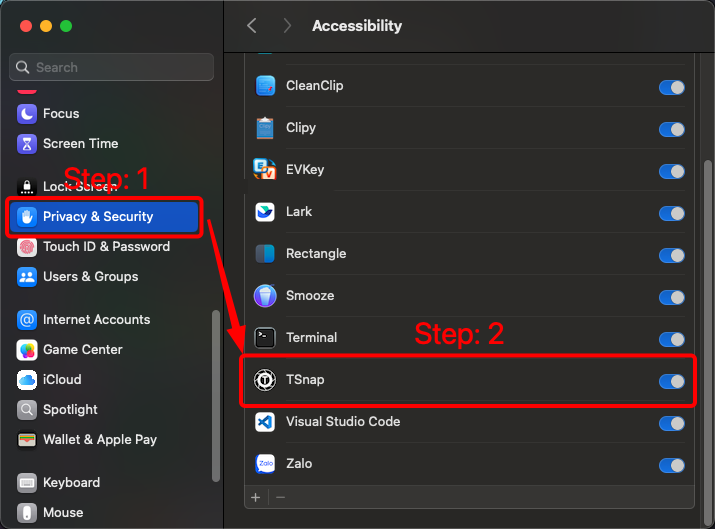
Apple Silicon Native
TSnap is optimized for M1, M2, and M3 chips. Currently, Intel-based Macs are not supported to ensure the best possible OCR speed and efficiency.
Translation Intelligence
TSnap uses smart technology to deliver accurate translations every time, without any complex setup.
Smart Provider Selection
TSnap automatically chooses the best translation service based on language pair and text length.
Automatic Fallback
If one translation service is unavailable, TSnap seamlessly switches to an alternative.
Reliable Translation
Multiple translation providers ensure you always get a result, even if one service fails.
Optimized for All Text
Works well with both short phrases and longer paragraphs, adapting to your content.

macOS Native Experience
Built specifically for macOS, TSnap integrates seamlessly with your system.
Menu Bar Integration
Access TSnap directly from your macOS menu bar for quick settings and status.
System Hotkeys
Use familiar macOS keyboard shortcuts that work system-wide.
Dark Mode Support
TSnap automatically adapts to your macOS appearance settings.
Native UI Design
Beautiful interface that follows Apple Human Interface Guidelines.
Smooth Animations
Fluid transitions and animations that feel right at home on macOS.
Supported Languages
TSnap now supports over 15+ languages with high-precision OCR and neural translation.
Optimized for Apple Silicon (M1, M2, M3) for maximum performance.
Support TSnap
TSnap is 100% free and open-source. We believe powerful tools should be accessible to everyone without tracking or subscriptions.
Our First Sponsors
We are looking for our first community sponsors to help support development and keep the servers running.
Free Forever. Privacy First.
We built TSnap because we needed it ourselves. We believe translation tools should be accessible to everyone, without compromising your privacy.
Start Translating Screenshots Today
Download TSnap now and experience the fastest way to translate text from any screen content.
Download for macOS